Use a custom chat resource on FiveM
The official FiveM image ships its chat resource baked into the server binary path (/opt/cfx-server/citizen/system_resources/chat). That folder is part of the read-only image, not your server's data volume, so you cannot edit it from the file manager or over SFTP, and removing ensure chat from server.cfg is not enough either: FiveM loads system resources automatically.
To give you control, Zaroz Cloud exposes two options:
- Disable the built-in chat, so the bundled resource is removed at startup before FiveM loads it.
- Replace the built-in chat with your own folder, by dropping it into a special location in your server files.
Both options live inside your server's data volume, so they survive restarts and container rebuilds.
Option 1: disable the default chat
The FiveM setup wizard shows a toggle called Chat / Enable default FiveM chat under System Resources. Switch it off and confirm.
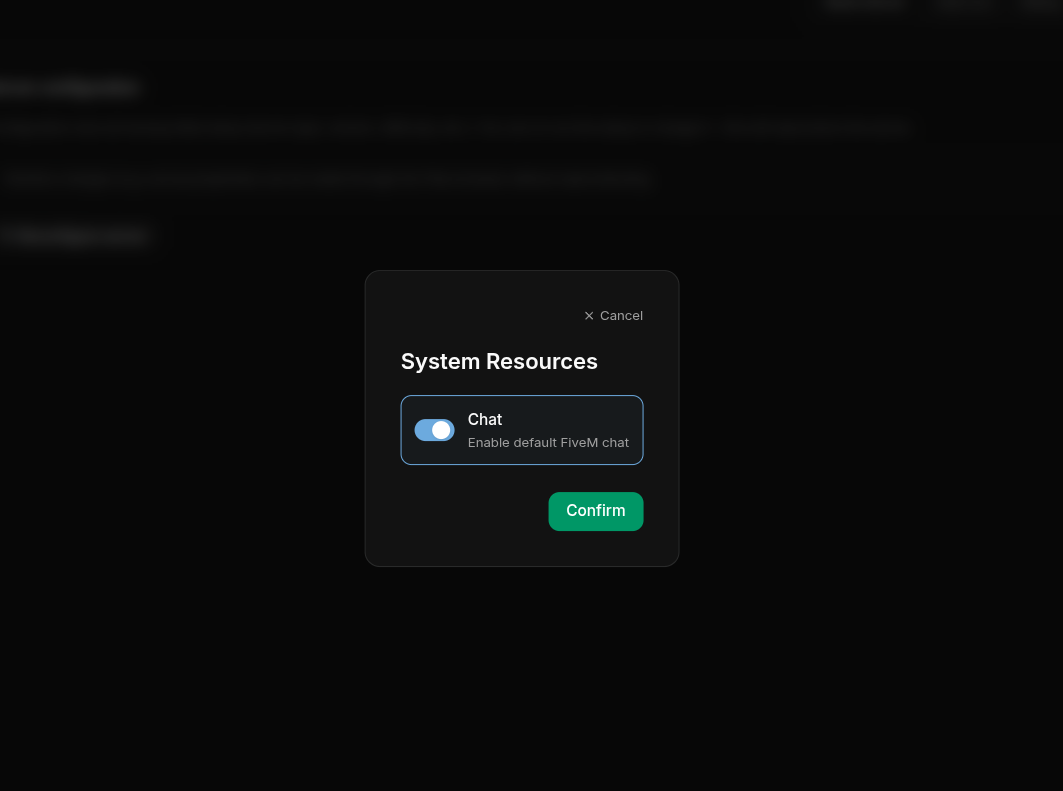
When the option is disabled, the container deletes /opt/cfx-server/citizen/system_resources/chat on every start, before FiveM has a chance to load it. Since the image is rebuilt from scratch on each boot, this is safe and reversible.
When to use this
Pick this option if you want a fully chat-less server, or if you ship your own chat resource as a regular addon under resources/ and start it from server.cfg like any other resource.
You can toggle this setting at any time from your order's configuration page. The change applies on the next server restart.
Option 2: drop in your own chat folder
If you want your custom chat to take the place of the bundled one (same name, same load order, same priority as a system resource), you can ship it inside a special folder we look for at boot. Because you cannot reach /opt/cfx-server/citizen/system_resources/chat directly, we expose a writable mount point inside your server files instead.
From the dashboard file manager
- Open your server's File manager from the dashboard.
- Navigate to
/.config/. - Inside it, create a folder named
.zaroz(note the leading dot). - Inside
.zaroz, create a folder namedchat. - Upload your custom chat resource into
/.config/.zaroz/chat/.
Over SFTP
If you prefer working over SFTP, the same folder lives at /server/config/.zaroz/chat/ on your server. Open the Data Volume tab on your server's page to find the connection details:
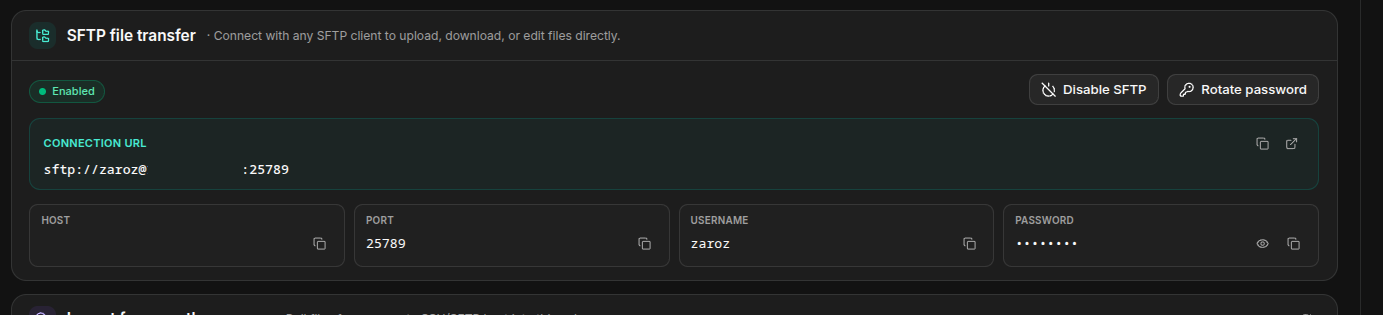
Copy the Connection URL straight into your SFTP client (or use the host, port, username, and password fields shown below it). A full URL pointing at the override folder looks like this:
Final layout
Regardless of how you upload it, the resource must end up like this:
On the next start, the container replaces /opt/cfx-server/citizen/system_resources/chat with a symlink pointing to your .zaroz/chat/ folder. FiveM then loads your resource as if it were the original system resource, with no server.cfg changes needed.
Keep the resource name as chat
The folder inside .zaroz/ must be called exactly chat. That is the resource name FiveM expects when ensure chat runs in server.cfg. If you rename the folder, the override will not take effect.
Going back to the default chat
To restore the original chat resource, just delete (or rename) the .zaroz/chat folder and restart the server. The container will fall back to the bundled chat.
Frequently asked questions
Can I use both options at the same time?
Yes. If you disable the default chat and provide .zaroz/chat/, your custom resource wins. The default is removed first, then your folder is linked in.
Will my custom chat survive a server resize or rebuild?
Yes. Everything inside your server files (including .zaroz/) lives on a persistent volume. Resizing CPU or RAM, or rebuilding the container, does not delete it.
Does the same .zaroz/ folder work for other resources?
Right now .zaroz/chat is the only override slot. If you'd like to override other built-in resources the same way, let us know on Discord.