
Replace a built-in FiveM resource
The official FiveM image ships several system resources baked into the server binary path (/opt/cfx-server/citizen/system_resources/). Those folders are part of the read-only image, not your server's data volume, so you cannot edit them from the file manager or over SFTP, and FiveM loads them automatically on every boot.
Zaroz Cloud lets you swap any of these four system resources for your own version:
chat— the in-game chat boxmonitor— the txAdmin management panelwebpack— bundles resource JavaScript during the build stepyarn— installs resource dependencies during the build step
You do this by dropping a replacement folder into a special location in your server files. Everything you place there lives inside your server's data volume, so it survives restarts and container rebuilds.
Most servers only need `chat`
Replacing chat is by far the most common case. monitor, webpack, and yarn are for advanced setups — leave them alone unless you specifically know you need to.
For the chat resource there is also an option to disable it entirely instead of replacing it. See Disable the default chat below.
Replace a resource with your own folder
If you want your own version of a resource to take the place of the bundled one (same name, same load order, same priority as a system resource), you can ship it inside a special folder we look for at boot. Because you cannot reach /opt/cfx-server/citizen/system_resources/ directly, we expose a writable location inside your server files instead.
From the dashboard file manager
- Open your server's File manager from the dashboard.
- Navigate to
/config/. - Inside it, create a folder named
.zaroz(note the leading dot). - Inside
.zaroz, create a folder named after the resource you want to replace —chat,monitor,webpack, oryarn. - Upload your replacement resource into it, for example
/config/.zaroz/chat/.
Over SFTP
If you prefer working over SFTP, the same folder lives at /server/config/.zaroz/ on your server. Open the Data Volume tab on your server's page to find the connection details:
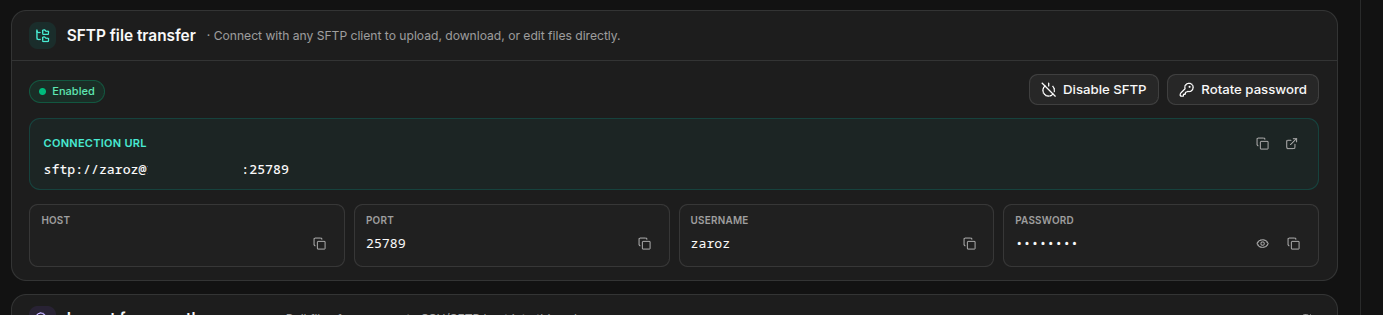
Copy the Connection URL straight into your SFTP client (or use the host, port, username, and password fields shown below it). A full URL pointing at the override folder for, say, the chat resource looks like this:
Code
Final layout
Each replacement goes in its own folder under .zaroz/, named exactly after the resource. You can override one resource or several at once:
Code
On the next start, the container replaces the matching folder under /opt/cfx-server/citizen/system_resources/ with a symlink pointing to your .zaroz/<resource>/ folder. FiveM then loads your resource as if it were the original system resource, with no server.cfg changes needed.
The folder name must match the resource name
The folder inside .zaroz/ must be called exactly chat, monitor, webpack, or yarn. Those are the names FiveM expects for its system resources. A folder with any other name is ignored.
Replacing `monitor` replaces txAdmin
The monitor resource is the txAdmin management panel. Only override it if you intend to ship a modified txAdmin — an empty or broken monitor folder will leave you without an admin panel.
Going back to the default
To restore an original resource, just delete (or rename) its folder under .zaroz/ and restart the server. The container will fall back to the bundled version.
Disable the default chat
The chat resource has one extra option the others don't: you can remove it entirely instead of replacing it.
The FiveM setup wizard shows a toggle called Chat / Enable default FiveM chat under System Resources. Switch it off and confirm.
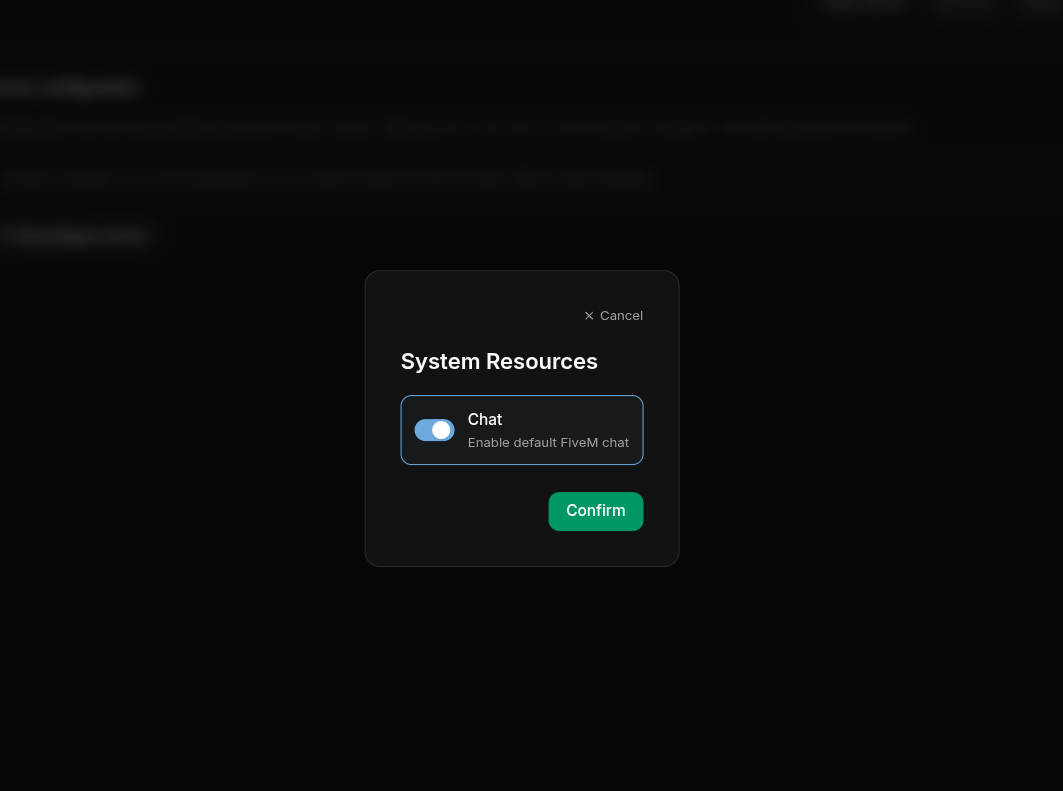
When the option is disabled, the container deletes /opt/cfx-server/citizen/system_resources/chat on every start, before FiveM has a chance to load it. Since the image is rebuilt from scratch on each boot, this is safe and reversible.
When to use this
Pick this option if you want a fully chat-less server, or if you ship your own chat resource as a regular addon under resources/ and start it from server.cfg like any other resource.
You can toggle this setting at any time from your order's configuration page. The change applies on the next server restart.
Frequently asked questions
Which resources can I replace?
Four system resources: chat, monitor, webpack, and yarn. Each is overridden independently with its own folder under .zaroz/.
Can I override more than one resource at once?
Yes. Add one folder per resource under .zaroz/. Each is linked in independently at boot, and resources you do not provide a folder for keep their bundled version.
Can I disable the default chat and provide my own at the same time?
Yes. If you disable the default chat and provide .zaroz/chat/, your custom resource wins. The default is removed first, then your folder is linked in.
Will my overrides survive a server resize or rebuild?
Yes. Everything inside your server files (including .zaroz/) lives on a persistent volume. Resizing CPU or RAM, or rebuilding the container, does not delete it.